
New
SBS
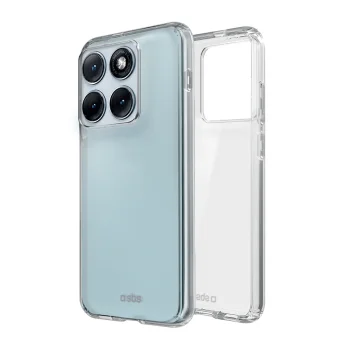
Phone Case SBS Skinny Cover for Motorola Edge 70 Fusion, Transparent
Delivery in 5–12 business days
16.80 €
Motorola Edge 70 Fusion cases and screen protectors include TFO, Tech-Protect and SBS accessories, with clear covers, wallet cases, MagSafe models and tempered glass screen protectors. They suit shoppers choosing a phone cover and a separate screen accessory. Start with the format you prefer: a case that leaves the screen uncovered or a wallet case with a front cover.
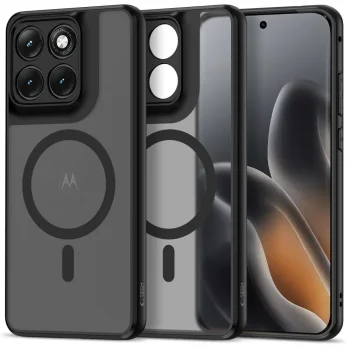
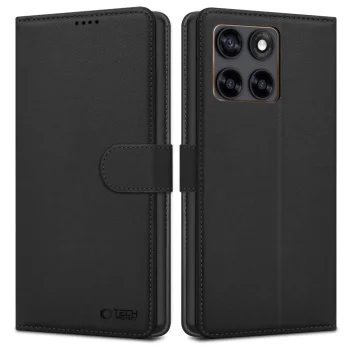
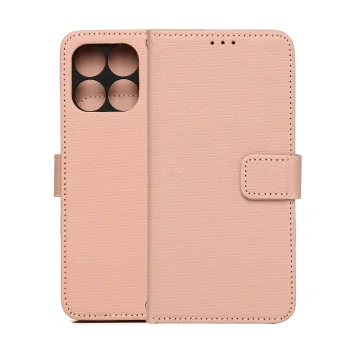
Motorola Edge 70 Fusion cases and screen protectors cover several everyday accessory formats from TFO, Tech-Protect and SBS. The range includes SBS Skinny Cover, Tech-Protect FlexAir Hybrid MagSafe and Magmat MagSafe cases, alongside Smart Triangle and Tech-Protect Wallet cases. TFO tempered glass screen protectors are listed with 2.5D and 2.5D Premium designations.
Check the exact phone model against the accessory listing, as some Tech-Protect product names also mention Fusion+ 5G. Then consider how you use the screen throughout the day. A cover without a front flap gives direct access, while a wallet case adds a cover to open before use. Appearance is another practical distinction: clear cases keep the phone's back visible, while coloured options change its presentation.
For everyday use, compare access to the screen, the opening wallet format and the appearance you prefer. These distinctions help narrow the case type before considering a separate tempered glass screen protector.
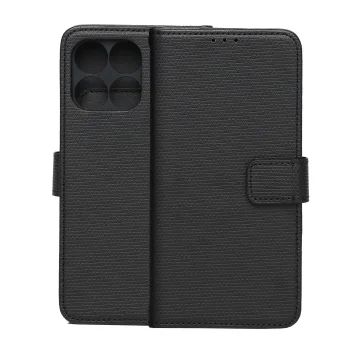
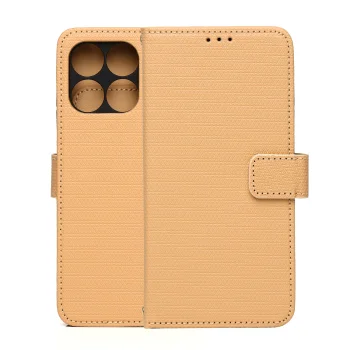
A Motorola Edge 70 Fusion wallet case has a front cover that opens for access to the screen. A case without a front flap leaves the screen uncovered during use.
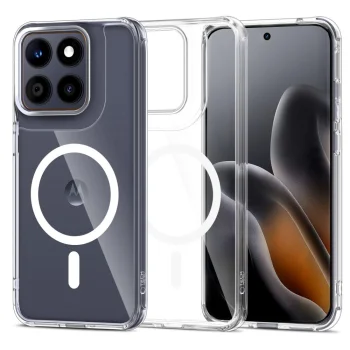
Motorola Edge 70 Fusion clear case options include SBS Skinny Cover and Tech-Protect FlexAir Hybrid MagSafe. Their transparent appearance lets the phone's back design show through.
Motorola Edge 70 Fusion cases and TFO tempered glass screen protectors are listed as separate products. A screen protector should only be treated as included when the individual case description explicitly lists it.
+371 20408041
info@motivs.lv
Duntes 56, Rīga, LV-1005, Latvija
Monday: 10:00 - 19:00
Tuesday: 10:00 - 19:00
Wednesday: 10:00 - 19:00
Thursday: 10:00 - 19:00
Friday: 10:00 - 19:00
Saturday: Closed
Sunday: Closed
 Gudri pirkumi vienuviet